Financial management software

Cloud accounting software for UK mid-market finance teams that need real-time visibility and control

Too many UK mid-market finance teams are still chasing data across spreadsheets and disconnected systems, losing hours to manual processes and arriving at month-end without a clear picture of cash flow. Access cloud accounting software brings your nominal ledger, bank reconciliation, purchase to pay, multi-entity management, and VAT reporting into one connected platform, giving you real-time visibility, full control, and the confidence to make faster, smarter decisions.

  • Built for growing organisations
  • One connected finance foundation
  • Less manual effort, faster insight
  • Designed to scale with you

Access Cloud Accounting from The Access Group is the cloud-based accounting layer within Access Financials, designed for UK small and medium-sized businesses with turnovers between £2m and £100m that have outgrown entry-level tools. It covers advanced nominal ledger management, multi-entity consolidation, automatic bank reconciliation, multi-currency processing, and MTD-compliant VAT submission, all hosted in UK data centres and delivered through the Access Evo platform with single sign-on and 250+ integrations.

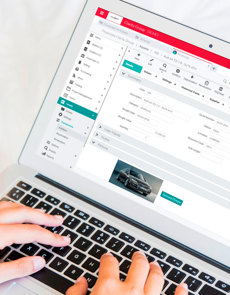
Cloud-based accounting software on screen

Thousands of Finance Teams Trust Access Cloud Accounting to Run Their Business

From medium and large businesses to charities and Not for Profit organisations, finance teams across recruitment, hospitality, health and social care, construction, and professional services rely on Access cloud accounting software for real-time financial visibility, automatic bank reconciliation, multi-entity management, and Making Tax Digital (MTD) compliance. All on one secure, cloud-based platform accessible from any device, anywhere.

Cloud-based accounting software features

Cloud-based Accounting Software Comparisons

Access Financials is our cloud-based accounting and financial management software designed for medium-sized businesses. These guides compare it against popular entry-level and mid-market solutions.

Book your demo

Cloud accounting software prices

Starting from £10,508 per year, we have three popular packages for different types of businesses.

Alternatively, we can provide a tailored cloud-based accounting software package to suit your organisational needs. Simply contact us for a chat.

If you'd like to research more about the cost of cloud-based accounting software before you buy, we have an article just for you.

See for yourself how cloud-based accounting software can benefit your business

Cloud-based accounting software built for your sector

Access Financials is the cloud-based accounting and financial management software built for UK medium-sized businesses. It is configured for charities and not-for-profit organisations, recruitment agencies, professional services firms, health and social care providers, hospitality businesses, construction companies, and higher education institutions. Each sector configuration addresses specific financial reporting, compliance, and operational needs.

Cloud accounting software trusted by thousands of UK businesses

Before, we would have to wait 24 hours for management information, and our pipeline reports were manually produced on a weekly basis. Now, information is updated dynamically in the dashboard. This gives us as a better indication of our upcoming workload.

Plowman Craven

Simplify your processes with cloud-based accounting software

Does your financial reporting take hours, days, even weeks? Do you have manual processes weighing down your finance team? Or maybe you're still using basic/on-premise accounting software and need an upgrade? We might just have the solution for you.

Throw away those spreadsheets and replace them with our cloud-based accounting software to speed up your financial processes, allowing you to spend more time on the right things.

Simple accounting software will enable your finance team to focus on what’s important and help drive business success by eliminating duplications, improving controls and enhancing visibility.

Women look at cloud accounting software on screen

What's the best accounting software for medium-sized businesses?

All medium-sized businesses need the ability to scale, with the best accounting software to meet your current and future needs. 

There are many providers in the market offering accounting systems such as us The Access Group, QuickBooks, Xero and Sage. 

QuickBooks Online, Xero and Sage 50 are excellent solutions for small-to-medium-sized businesses, featuring user-friendly dashboards and all the key features you’d expect from accounting software. But as your business grows, the transactions add up and your needs become more complex, it could be time to move on.

Access Financials is designed for complex medium-sized organisations. Our solution provides everything you need to streamline and automate complex accounting processes, helping you eliminate duplication, improve controls, and enhance visibility.

Our article Best accounting software for medium-sized businesses goes into more detail about which accounting system is suited for which business type and the comparisons between them.

Cloud accounting software FAQs

What is cloud-based accounting software?

Cloud-based accounting software is a modern solution hosted on secure remote servers and accessed through a web browser. Unlike traditional desktop software, it doesn’t require installation or manual updates. It enables teams to manage finances from anywhere, using any device, with real-time data and enhanced security.

How does cloud accounting software work day to day?

Your nominal ledger, sales and purchase ledgers, bank reconciliation and reporting sit in one system that your team opens in a browser, so everyone works from the same live figures. Bank transactions arrive through secure open banking connections and are matched automatically, approvals happen inside the system, and reports update as transactions are posted instead of waiting for someone to compile them. Our guide to how accounting software works walks through the process step by step, and the features and benefits guide shows what to look for when you compare options.

Is cloud accounting software suitable for a medium-sized business?

Yes, provided it covers what a medium-sized business needs and entry-level tools were not built for: several departments or companies, approval controls, reporting by project or department, and permissions that decide who sees which transactions. Check those four points before you shortlist anything. Our guide to the best accounting software for medium-sized businesses sets out what to compare, and how to choose the right accounting software gives you a checklist to take into supplier demos.

Why is financial cloud accounting software important?

Financial cloud accounting software is essential for maintaining accurate records, ensuring compliance, and supporting strategic decision-making. It streamlines everyday financial tasks and provides timely insights into business performance.

Key Benefits:

  • Instant Financial Reports - Generate up-to-date reports without manual compilation.
  • Data Synchronisation - Connects with banking, payroll, and other systems to unify financial data.
  • Improved Accuracy - Minimises human error through automation and intelligent data handling.

Is cloud accounting software secure?

Yes, cloud accounting software is designed with robust security measures to protect sensitive financial data. It typically includes:

  • Data encryption - Ensures information is unreadable to unauthorised users.
  • Regular backups - Protects against data loss due to system failures or cyber incidents.
  • Access controls - Allows businesses to manage who can view or edit financial data.
  • Compliance standards - Most providers adhere to GDPR and ISO 27001 security frameworks.

Compared to spreadsheets or legacy desktop systems, cloud software offers significantly stronger protection and reliability

When should we move from Xero or QuickBooks to a different cloud accounting system?

Most teams move when the workarounds start costing more than the software: management reports need spreadsheets to put together, month-end depends on one person's knowledge, or a second company has arrived and consolidation is manual. Xero and QuickBooks suit many smaller businesses well, so the question is whether your reporting and controls have outgrown them. Our Xero comparison and QuickBooks comparison show where each fits, and the page on accounting software for a growing business covers the signs that it is time to upgrade.

How long does it take to move to cloud accounting software?

The timescale depends on how many companies you run, how much history you bring across, which systems need to connect and how much training your team needs, so agree a realistic plan with your supplier before you sign. Splitting the project into stages keeps month-end running while you move. Our 8-step implementation checklist lays out the stages, 4 risks of changing accounting systems covers what tends to go wrong, and the team training guide helps you plan adoption. If you want to talk it through, you can book a cloud accounting demo.

How do I choose the right cloud-based accounting software for my business?

To choose the right solution, consider the following:

  • Business Size & Turnover – Larger businesses may need more advanced features and scalability.
  • Industry Requirements – Look for software tailored to your sector (e.g. Access Financials for charities and care providers).
  • Growth Potential – Choose a platform that can evolve with your business.
  • Regulatory Compliance – Ensure the software supports UK regulations like Making Tax Digital (MTD).

Read our blog for 6 steps to help you choose the right accounting software.

What's the difference between cloud accounting software and on-premise accounting software?

The key difference lies in how the software is hosted and accessed. Cloud accounting software is hosted on external servers and accessed via the internet, allowing users to work from anywhere, collaborate in real time, and benefit from automatic updates and backups. It typically operates on a subscription model and integrates easily with other business systems.

On-premise accounting software, by contrast, is installed locally on a company’s own servers and computers. It requires manual updates, dedicated IT support, and is only accessible from within the office network. While it may offer more control over data storage, it often involves higher upfront costs and ongoing maintenance.

Cloud solutions are generally more flexible, scalable, and cost-effective for modern businesses, especially those with remote teams or evolving needs.

Find out the differences and what it may imply for your company.

What’s the cost difference between cloud-based and on-premise accounting software?

In general, cloud software offers lower initial costs and more predictable monthly expenses, while on-premise solutions may result in a higher total cost of ownership over time.

Cloud-based accounting software typically follows a subscription pricing model, with entry-level packages starting from around £8 to £14 per month (excluding VAT). These costs scale based on the number of users and the features your business needs.

On-premise accounting software usually involves a larger upfront investment. You’ll need to pay for software licences, hardware, and potentially IT support. There are also ongoing costs for updates, maintenance, and backups — which are included in most cloud packages.

What are the advantages of cloud based accounting software?

  • Faster processing of key elements such as invoicing, forecasting and audit control
  • More accurate thanks to the removal of repeated manual rekeying
  • Efficient because of integration with other business areas and automation of key tasks
  • Compliant with digital record keeping requirements for VAT for example
  • Responsive – you can dig for data or pull off reports at the click of a mouse
  • More secure – especially when compared to spreadsheets or outdated desktop software

For more information, read our article on the advantages and disadvantages of accounting software, which also delves into the advantages and disadvantages of Sage and Xero accounting software.

What are the disadvantages of cloud based accounting software?

  • Cost is obviously a key factor but bear in mind that there are multiple ways to proceed – a cloud-based subscription package might be more cost-effective than you think.
  • Customisation might be required to ensure your accounting software fits perfectly with your business needs and how easy or expensive that is depends on the level of change required and the level of IT resource you potentially need.
  • Data will need to be transferred from your existing package or system into the new one and this can be laborious. Bear in mind though that the quality of what you put in at the outset will impact the effectiveness of the new software from day one.
  • Support for a new accounting software package is useful but you should expect to pay extra for maintenance cover from whichever provider you choose.

For more information, read our article on the advantages and disadvantages of accounting software, which also delves into the advantages and disadvantages of Sage and Xero accounting software.

Can cloud accounting software help with Making Tax Digital (MTD)?

Absolutely. Most cloud accounting platforms are built to support HMRC’s Making Tax Digital initiative. They simplify compliance by automatically calculating VAT, submitting returns directly to HMRC and keeping digital records in line with MTD requirements. 
This helps businesses avoid penalties and stay up to date with UK tax regulations.

How do I ensure my data migrates correctly?

We understand that seamless data migration is crucial when moving to a new system. That’s why Access provides:

  • Pre‑migration audit: We thoroughly assess your existing data to identify any missing or inconsistent records.
  • Test migrations: Run a sample data transfer to validate accuracy, currency balances, customer/vendor mapping, and posting structure.
  • Reconciliation reports: Compare migrated data with source systems to verify West-to-date data integrity.
  • Sign‑off process: Collaboratively review results with your finance team before going live.
  • Post‑go‑live monitoring: We run final checks to identify any discrepancies early, ensuring a smooth handover.

Can cloud accounting software manage several companies and currencies?

Yes, when the system is built for it. Access Financials handles intercompany transactions, multi-entity consolidation and multi-currency accounting with automated currency conversion, and it produces both single-entity and consolidated financial statements. Our pages on financial reporting and cash flow forecasting show how group-level numbers are reported and planned.

Does cloud accounting software work for charities and other specialist sectors?

It does when the ledger can analyse your numbers the way your sector reports them: by fund, project, department or branch. Access Financials is configured for charities and not-for-profit organisations, hospices and hospital charities, health and social care providers, hospitality businesses, recruitment agencies and professional services firms, and each sector page explains what that setup covers.