

 AU & NZ
 SG
SG
 MY
MY
 US
US
 IE
IE

How to Switch Finance Software Without Disruption
Thinking about switching finance software? You're not alone. 63% of finance decision-makers plan to switch their finance software in the next five years driven by challenges around scalability, real-time visibility and compliance.
This guide covers everything you need to know: when to switch, how to plan your migration, what to expect during implementation, and how to bring your team with you without disrupting operations.
Switching finance software is a five-step process — audit, define requirements, evaluate vendors, migrate data, and go live — designed for UK mid-market businesses (£5M–£200M turnover) that have outgrown their current system. Common triggers include month-end close taking more than five days, running spreadsheets alongside a finance system, no real-time cash flow visibility, MTD compliance gaps, or inability to consolidate multi-entity reporting. Access Financials is built for exactly this transition: over 1,000 UK finance teams have already switched, mid-year migration is fully supported, and the majority of customers switch without disrupting operations.
Join 1000s of finance experts who trust our Finance Software






%
of finance decision-makers plan to switch software in 5 years
hrs
Minimum go-live time with Access Flightpath methodology
UK finance teams already using Access software
When Should You Consider Switching Finance Software?
Not every pain point means it's time to switch, but some are clear signals. Here are the most common triggers finance leaders tell us pushed them to make the move:
Month-end takes too long
If your close process takes more than 5 days, your software is the bottleneck, not your team.
You're running on spreadsheets
Excel alongside your finance system is a red flag. It means your software isn't doing its job.
No real-time cash flow visibility
Finance leaders need live dashboards, not end-of-month snapshots. Legacy systems can't deliver this.
MTD compliance is a struggle
Making Tax Digital is expanding. If your system isn't MTD-ready, you're carrying compliance risk.
You've outgrown your current system
Multi-entity, multi-currency, multi-site: if your software can't scale with you, it's time to switch.
Integration is a constant headache
If connecting finance to payroll, HR or CRM requires manual exports, you need a modern platform.
Check Access Financials Before You Switch
Watch a tour of Access Financials. See exactly what your team will use from day one. The right time to switch finance platforms is when your current system is actively limiting your ability to report, forecast or scale. Common enterprise triggers include: inability to consolidate multi-entity reporting, lack of AI-powered forecasting, and growing ESG/compliance reporting demands. Access Financials is built for exactly this moment.
How to Switch Finance Software: A Step-by-Step Guide
Step 1: Audit your current system
Before you do anything else, document what your current finance software does well and where it falls short. Identify:
- Which modules you use (AP, AR, payroll, reporting, fixed assets)
- What data needs to be migrated and what can be archived
- Which integrations are business-critical
- What compliance requirements apply (MTD, GDPR, audit trails)
Common mistake: Skipping the audit and discovering mid-migration that critical data is in an incompatible format.
Step 2: Define your requirements
Involve your finance team, IT and key stakeholders early. Define:
- Must-have features vs. nice-to-haves
- Integration requirements (payroll, HR, CRM, e-commerce)
- Reporting and forecasting needs
- Go-live timeline and budget
- Training and change management requirements
Tip: Use a formal requirements document. It protects you during vendor evaluation and keeps the project on scope.
Step 3: Evaluate and choose your new software
Shortlist vendors based on your requirements. During demos, focus on:
- How the system handles your specific workflows
- Implementation methodology and timeline
- Post-go-live support model
- Total cost of ownership (not just licence fees)
- UK-specific compliance (MTD, HMRC, GDPR)
Read our guide: How to choose the right accounting software
Step 4: Plan your data migration
Data migration is where most switching projects go wrong. Do this right:
- Cleanse first: Remove duplicates, tidy odd balances, archive inactive records
- Map your Chart of Accounts: Ensure your new system mirrors your reporting structure
- Validate before cutover: Run trial migrations and reconcile totals
- Agree a cutover date: Month-end or year-end is ideal, but mid-year is entirely possible
What transfers: Customers, suppliers, Chart of Accounts, open transactions, historical balances.
Step 5: Go live with expert support
The go-live phase is where preparation pays off:
- Run parallel testing before switching off your old system
- Train your team before go-live — not after
- Ensure your implementation partner provides post-launch support
- Set a 30/60/90-day review point to assess performance and address any gaps
With the right implementation partner, you can go live in as little as 24 hours.
Finance Software Switching Checklist
Use this checklist to modernise your finance software without disrupting operations.
Before you switch
During and after go-live
What Keeps CFOs Up at Night, and How Access Financials Helps
Finance leaders are under pressure to do more than manage the books. They're expected to drive strategy, ensure compliance and deliver real-time insights, while navigating economic uncertainty and talent shortages. Here's how Access Financials addresses the biggest challenges:
1. Limited cash flow visibility
The challenge: Understanding customer and supplier stability in uncertain markets.
The solution: Experian risk data blended with aged debt gives a clear, dynamic view of financial health across all relationships — in real time.
2. Manual, time-consuming reporting
The challenge: Month-end reporting takes too long and drains resources.
The solution: AI-powered automation cuts reporting time in half — from 10 days to just 5.
3. Inaccurate forecasting in volatile markets
The challenge: Forecasts are unreliable, making strategic planning risky.
The solution: Advanced analytics improve forecasting accuracy by up to 40%, even in unpredictable conditions.
4. Growing compliance demands
The challenge: ESG reporting, MTD expansion and GDPR create an ever-growing compliance burden.
The solution: Access Evolve is built for UK compliance — MTD-ready, audit-trail enabled and GDPR-compliant by design.
Common Mistakes When Switching Finance Software (and How to Avoid Them)
Mistake 1: Skipping the data cleanse
Migrating dirty data creates reporting errors and compliance risks in your new system. Always cleanse before you migrate.
Mistake 2: Training after go-live
Teams that aren't trained before go-live revert to old habits or workarounds. Build training into the implementation phase.
Mistake 3: Underestimating integration complexity
Payroll, HR, CRM and e-commerce integrations need to be tested before cutover — not discovered as problems afterwards.
Mistake 4: Choosing on price alone
The cheapest licence fee often comes with the highest implementation and support costs. Evaluate total cost of ownership.
Mistake 5: No post-go-live support plan
The first 90 days after switching are critical. Ensure your vendor provides dedicated support — not just a helpdesk ticket.
Mistake 6: Switching at year-end without planning
Year-end is a high-risk time to switch without preparation. If you must switch then, ensure your implementation partner has done it many times before.
Switching From Your Current System: How Access Compares

Access Financials vs. Xero
This guide compares Access Financials vs Xero to help UK businesses choose a solution that scales with complexity, ensures compliance, and supports long-term growth.

Access Evolve vs iplicit
Comparing Access Evolve and iplicit? We break down features, pricing, implementation and support so you can make the right choice.

Access Financials vs Sage Intacct
Choosing between Access Financials and Sage Intacct? This guide covers the key differences for UK mid-market finance teams.
Switching finance software resources

How to choose the right accounting software
Here, we explain how to choose accounting software that’s going to help drive your business forward and deliver optimum efficiency and reliability for finance teams.
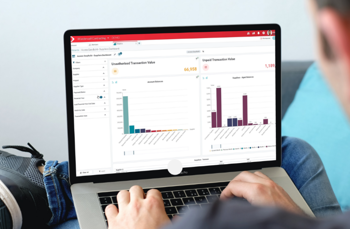
Switching your software to Access Finance
In this post, we wanted to give you an outline of what you can expect both before you switch and after you start using Access Financials and give you some tips about how to switch accounting software.
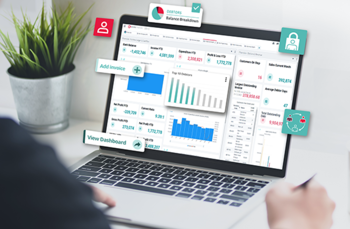
Top tips for choosing your new finance system
In this guide, we’re giving you some tips to help you run the choice process and spot the sort of things that you need to think about. We’ve even included a handy downloadable checklist to help you on your way.
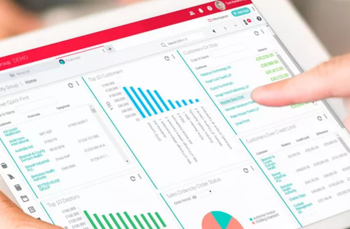
How to implement a new accounting system
If you’re ready to bring your finance function up to date, how do you kick off the accounting system migration checklist? And what things do you need to do to prepare and ensure a smooth transition?
Switching Finance Software FAQs
When should enterprise companies consider switching finance platforms?
Enterprise companies should consider switching finance platforms when their current system actively limits their ability to report, forecast or scale. Key triggers include:
- Month-end close taking more than 5 days
- Inability to support multi-entity or multi-currency reporting
- Lack of real-time cash flow visibility
- MTD compliance gaps or manual VAT workarounds
- Running parallel spreadsheets alongside the finance system
- Inability to integrate with modern tools (payroll, HR, CRM)
If your finance team has built workarounds into their daily workflow, that is a clear signal it is time to switch.
How do you ensure a smooth finance team transition from Excel to software?
A smooth transition from Excel to finance software requires: (1) involving the finance team early in the selection process so they feel ownership, (2) mapping existing Excel workflows to software equivalents so nothing is lost, (3) structured role-based training before go-live, and (4) a phased rollout that allows teams to build confidence gradually. The biggest risk is forcing a hard cutover without adequate preparation - teams revert to Excel when they are not confident in the new system.
Should I switch finance software at financial year end to avoid double running costs?
Switching at financial year end can reduce double running costs and simplify data migration, but it is not always necessary or advisable. Year-end is a high-pressure period for finance teams. Mid-year switching is entirely possible with the right implementation partner - the majority of our customers switch mid-year. The key is to agree a clear cutover date, run parallel systems for a short period, and ensure your new system is fully tested before switching off the old one.
How do you migrate from manual systems to finance software?
Migrating from manual systems (spreadsheets, paper-based processes) to finance software involves: auditing your current data and processes, cleansing and standardising records, mapping manual workflows to software equivalents, and running a structured implementation with hands-on training. A specialist implementation partner significantly reduces risk and accelerates time to value.
Can I switch billing platforms without disrupting finance?
Yes, with careful planning. Run parallel systems during a transition period, validate all data before cutover, and ensure your new platform integrates with your existing finance workflows before switching fully. Your implementation partner should provide a clear cutover plan and rollback procedure.
How do you onboard your team to a new finance tool?
Effective onboarding includes: role-based training tailored to each user's responsibilities, hands-on testing during the implementation phase (so training is practical, not theoretical), access to a learning management system for ongoing development, and a dedicated support contact for the first 90 days post-launch. Access Financials includes a built-in LMS with structured courses covering all modules.
How do I build the business case for switching finance software?
A strong business case should include: current system costs (licence, maintenance, manual workarounds, staff time), projected savings from automation and efficiency gains, compliance risk reduction, and strategic benefits (real-time reporting, scalability, integration). Download our full switching guide for a CFO business case template.